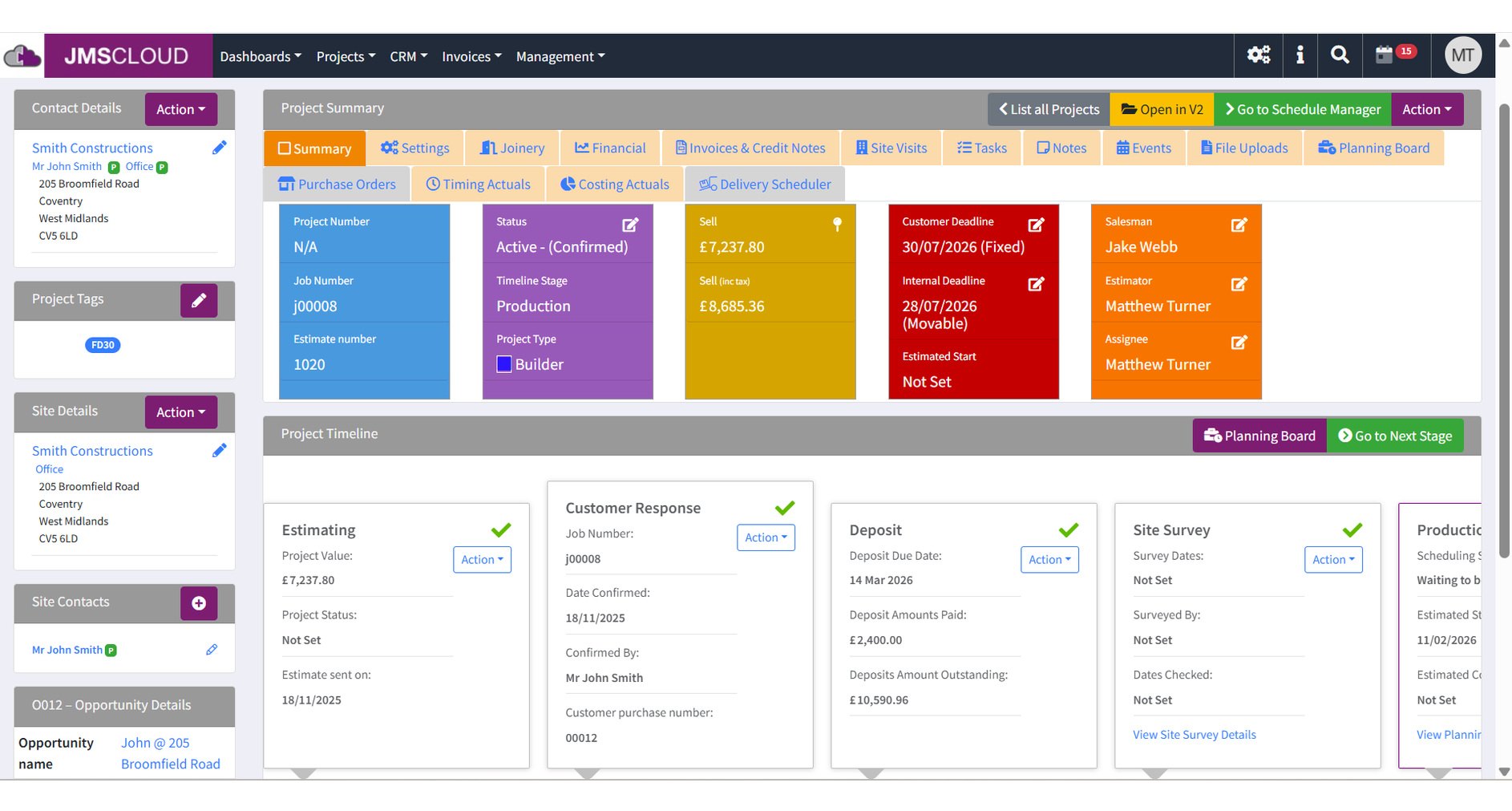
From the website enquiry to the paid invoice, on a phone, a tablet or the workshop screen. Synced both ways with JMS 2D and 3D Pro.
Shortlisted, BWF Innovation Award 2026JMS Cloud, for the third year running
It loses it in the gaps: between the quote and the cutting list, the bench and the office, the promise and the delivery date.
The job is on a whiteboard, the hours are on paper clock cards and the delivery note is in a folder in the van. The same customer gets typed out four times.
A delivery date offered at the counter is defended, not calculated, and the effect of a slip shows up at the end of the week.
Whether a job made money is discovered when it's invoiced, often months after it was priced.
JMS 2D or JMS 3D Pro
A phone, a tablet or a shared screen
Contacts, quotes, projects and documents sync both ways, so nothing is retyped between stages, because there are no stages to retype between.
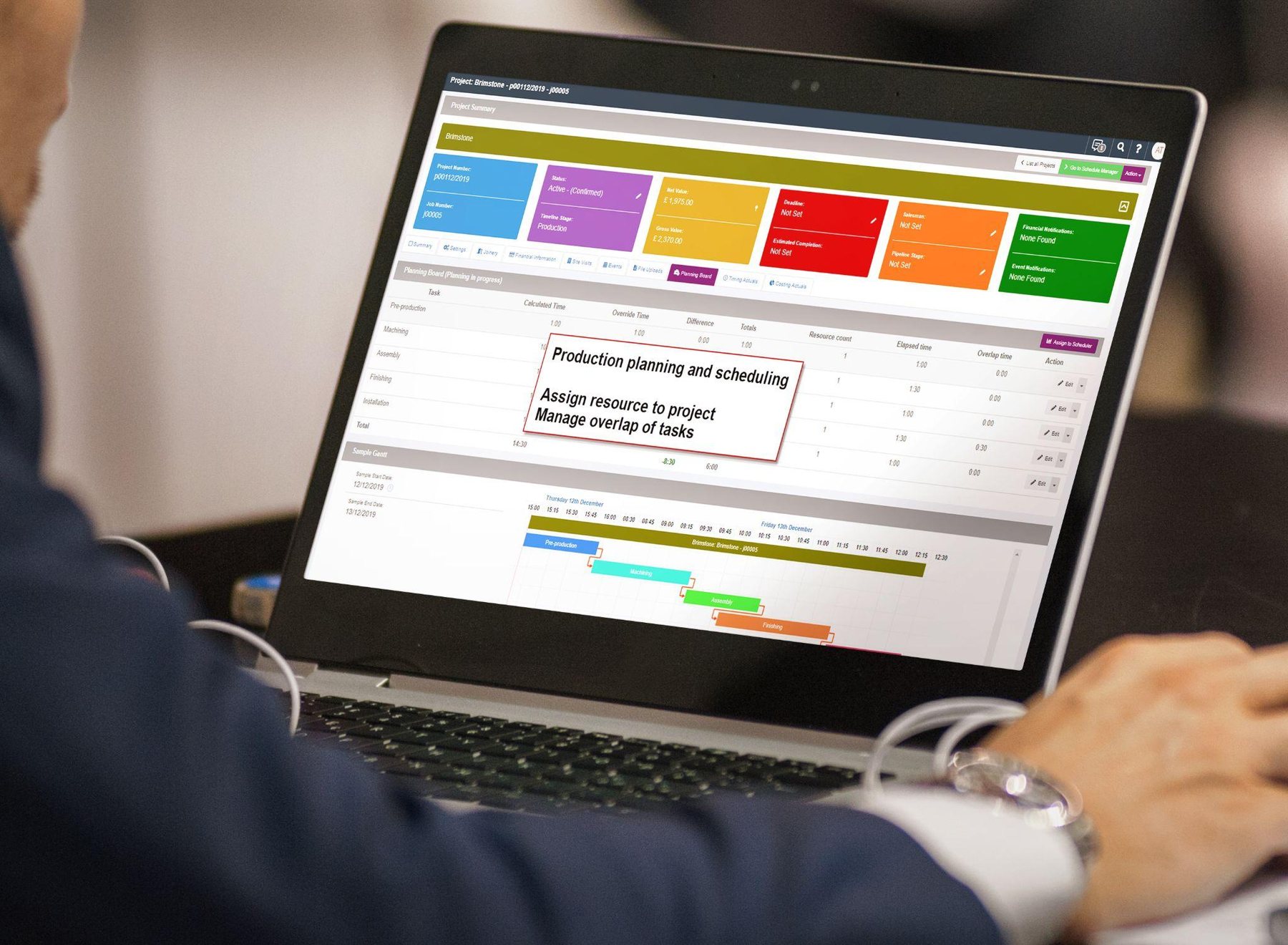
The planning board works out how long each stage needs from the job itself, then schedules back from the customer's deadline to the day the work must hit the floor.

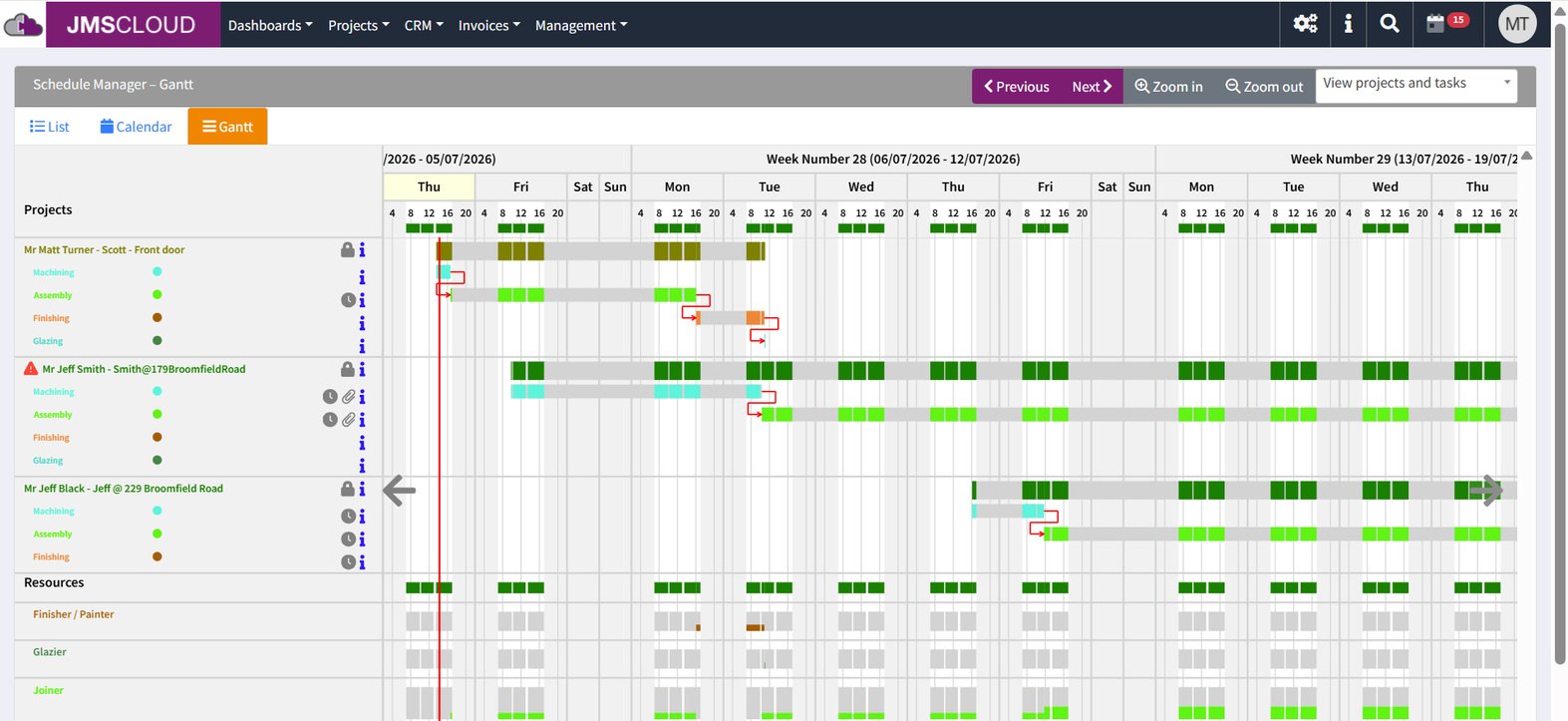
Scheduling and Gantt
Dependencies, resource load and slack at a glance. Overbooked joiners and machinists are flagged so the schedule stays honest, and the same view goes on a workshop screen for the whole team.
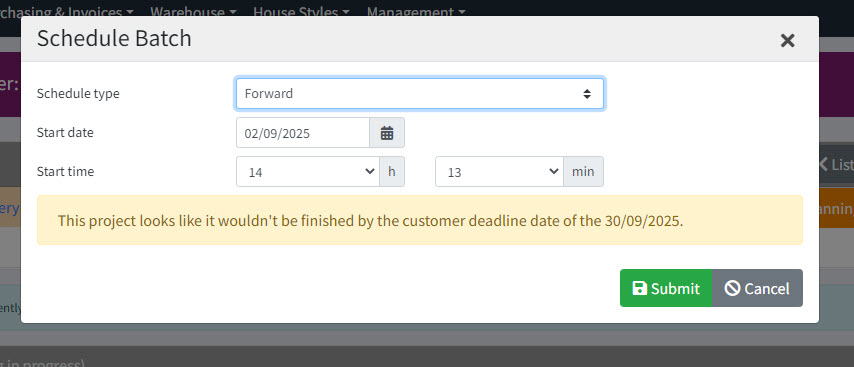
Warned at the point of decision
Schedule forward from a start date or back from a deadline. If a job looks like missing the customer's date, the warning appears as you commit it, not in week three.

“By using Cloud we can get a pretty accurate timeline to schedule our list of work, so the customer is well informed, and this helps us schedule jobs to the value needed to cover the costs per month.”
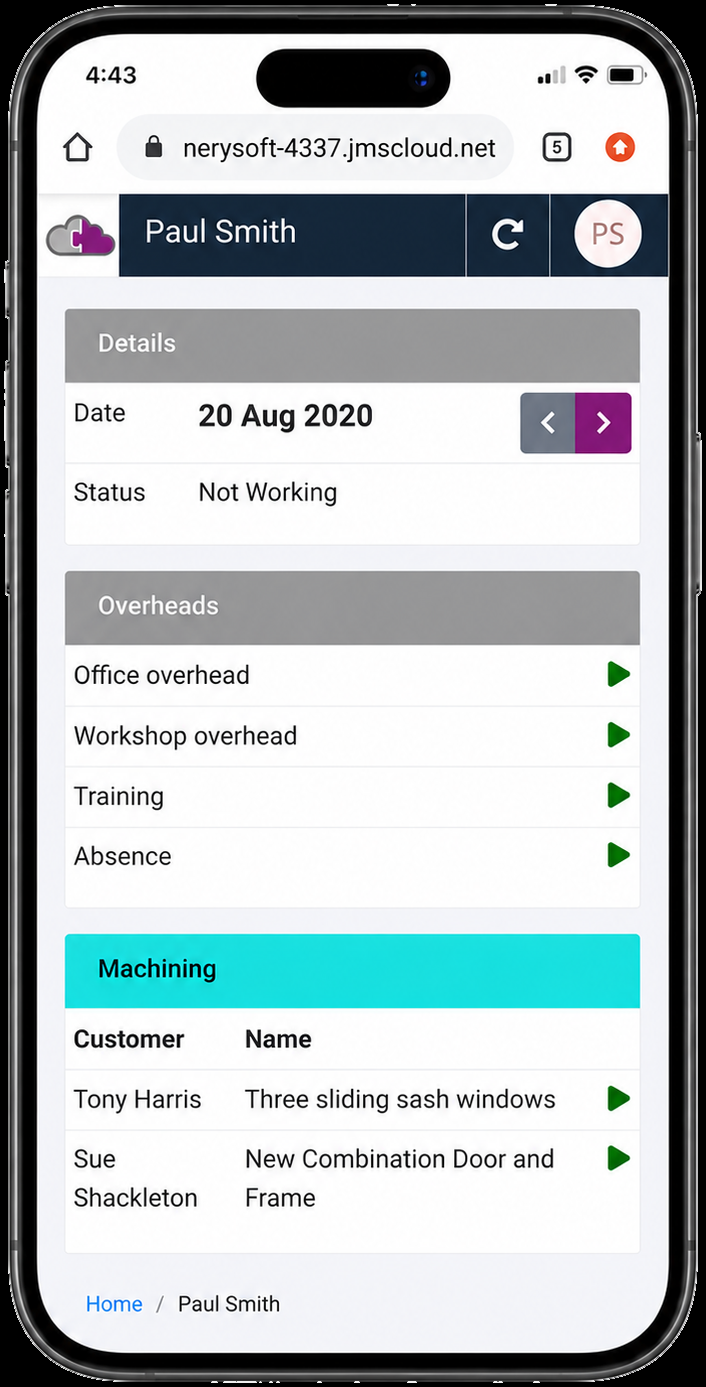
Operators clock on and off against the job on a phone or tablet, and the hours land on the job record. No clock cards, no re-keying.

Production capture
Scans made offline queue on the device and send when it reconnects, and a scan that arrives twice still only clocks once. In a steel-framed building with patchy Wi-Fi, that is the difference between timing data you can trust and timing data you can't.
Once a job has been timed five times, you price the sixth from what the work really took.

Floor View
A colour-coded picture of every batch across every department, used for capacity planning and the morning stand-up. Items can be put on hold or flagged for rework, one leaf of a door set rather than the whole job.
“The boys in the workshop clock on and off all their jobs and we can track the hours spent on each job to see if we are making money. We wouldn't be without it now.”
Nothing is retyped, so nothing diverges. The figure on the invoice traces back to the hours on the bench and the price on the quote.
A website enquiry or a phone call, with an owner, a value and a follow-up date.
One click makes the contact, with duplicates caught as you type.
Priced in JMS 2D or 3D Pro, against the synced contact.
The quote comes back as a project with its drawings and files.
Planned on the board, timed at the bench.
Deposits, staged payments, reverse charge VAT and statements.
Exported straight to Xero or Sage.
A website enquiry followed through to a live project, narrated.
Written for joinery, so it knows a job as door sets, frames and components, not a list of tasks with durations typed in.
Every enquiry in one pipeline, with follow-ups that turn red when missed and rejection reasons on lost work.
Documents, emails and site photos against the record. Scaled drawings from JMS, always current.
Forward or backward, with resources, deadlines and a warning when a date can't be met.
Clock in and out with breaks and overtime tracked, overlaps prevented and work in progress live.
Progress, on-hold and rework by sub-item, from a phone at the bench, online or off.
Purchase orders against the job, delivery schedules, vehicles and cover sheets.
Deposits, staged payments, customer statements and UK reverse charge VAT handled end to end.
Materials, labour, machine time and overhead compared with the estimate, per job or per month.
Real-time reports and dashboards, on screens around the building and exported to Excel.
Who did what and when. Only administrators delete projects or invoices or move work past a stage.
Courses with video lessons and release notes that show a new feature working.
Custom reports and two-way links into group MIS and ERP systems, built by the same team.

“Before, you could send the same quote to four estimators and get four different prices back. Now they get the same price from each, which is much better for us and for the customers.”
“Being able to analyse the labour time for each of our projects has continued to push our profits upwards. We saw a massive rise in profits.”
“Setting up and training staff is really quick and straightforward. The web app links into JMS 2D, which saves a lot of admin time. If you're already running JMS 2D it's a no-brainer.”
BWF Innovation Award, JMS Cloud shortlisted in 2024, 2025 and 2026Users are added month by month, so you can bring in more of the team without a long commitment.
With JMS 3D Pro
Every Pro licence comes with the same number of Cloud users, free. Design in Pro, run the business in Cloud.
About JMS 3D ProWith JMS 2D
Cloud links to your existing JMS 2D, or runs on its own. Contacts and quotes sync both ways from day one.
About JMS 2DEach customer's system is tenanted: its own domain, its own data. No cross-company contamination.
Data every two hours and files regularly, on Amazon Web Services infrastructure.
It runs in the browser on any device. No app store, no separate records to reconcile.
An audit log, admin-only deletion and archived projects that reopen read-only.
A thirty-minute demo on your data: an enquiry, a quote, a schedule and an invoice, all on one record.
Book a demoOr call 01608 643302 · sales@joinerysoft.com